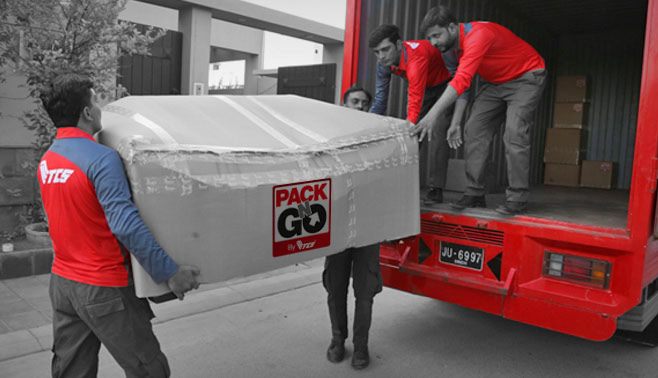
A Customer’s Guide to TCS Parcel Pickup and Home Delivery
TCS Parcel Pickup and Home Delivery services make it easier to send documents, gifts, and online orders across Pakistan. Customers can request a pickup, prepare a parcel, track its movement, and receive delivery at a home or office address. Knowing how each step works helps you avoid delays, extra charges, and failed delivery attempts.
How TCS Parcel Pickup and Home Delivery Services Work
The process usually begins when you book a shipment through a TCS outlet, customer service channel, or an available online booking option. You provide the sender’s details, recipient’s name and phone number, delivery address, parcel type, and preferred service.
For a pickup request, keep the parcel packed and ready before the courier arrives. The rider may check the package, confirm the address, and issue a receipt with a consignment or tracking number. Keep this number until delivery is complete.
Preparing a Parcel Correctly
Use a strong box or suitable envelope and protect fragile items with bubble wrap, paper, or foam. Seal all openings properly, then write clear sender and receiver information on the package. Avoid sending prohibited or restricted goods, such as dangerous chemicals, weapons, or other items not accepted under courier rules.
Booking a Convenient TCS Pickup
A home pickup is useful for sellers, office workers, and customers who cannot visit a branch. Before booking, confirm that your address falls within the pickup service area and provide a working phone number so the rider can contact you.
Share accurate parcel information, including its approximate weight, size, and value when requested. Incorrect details can affect the shipping cost or cause problems when the parcel reaches a sorting facility.
Businesses that send regular orders should create a simple dispatch routine. Check addresses, print or write labels clearly, and keep a record of each tracking number. This improves order management and makes customer support faster.
Tracking Your Shipment and Checking Delivery Updates
After booking, use the tracking number to check the shipment status. A tracking page may show events such as shipment booked, picked up, received at a facility, in transit, out for delivery, or delivered.
Customers who want a quick tracking option can visit this website to check a TCS shipment online. Enter the correct number without extra spaces and compare the latest update with the expected delivery time.
Understanding Common Tracking Statuses
“In transit” means the parcel is moving between courier locations, while “out for delivery” usually means a rider has taken it to the recipient’s area. If the status does not change for an extended period, contact TCS with the tracking number and shipment details.
Home Delivery, Delivery Attempts, and Local Branch Support
During home delivery, keep your phone available and make sure someone can receive the parcel. The courier may call before arrival, especially when the address is difficult to find or the recipient needs to confirm directions.
A failed attempt can happen because nobody is available, the phone is switched off, or the address is incomplete. In that case, contact customer support or the relevant branch quickly to ask about redelivery, collection, or address correction.
Customers in different cities may need local branch information for pickup schedules and service coverage. For example, those searching for gujranwala tcs details can review branch-related information before visiting or arranging a shipment.
Costs, Delivery Times, and Safe Parcel Receipt
Shipping charges can depend on weight, dimensions, destination, service type, and any extra options. Ask for the estimated cost before confirming the booking, particularly when sending heavy, valuable, or time-sensitive items.
Delivery times vary by city, route, weather, holidays, and operational conditions. Express services may be faster, while remote areas can require additional time. Do not rely only on a general estimate when sending important documents.
When receiving a parcel, check the package for visible damage before accepting it. Confirm the recipient name and, where appropriate, inspect the contents according to the courier’s delivery procedure. Report missing, damaged, or delayed shipments as soon as possible.
Popular Questions About TCS Parcel Pickup and Home Delivery
How do I book a TCS parcel pickup?
Contact TCS through an available booking channel or visit a nearby outlet. Provide complete sender, recipient, address, and parcel details, then keep the booking receipt.
Can TCS pick up a parcel from my home?
Home pickup may be available in covered areas. Confirm service availability, pickup timing, and any minimum shipment requirements before preparing the parcel.
How can I track a TCS shipment?
Use the tracking number printed on your receipt or shipment label. Enter it into the official tracking facility to view the latest delivery status.
What information is needed for home delivery?
You should provide the recipient’s full name, mobile number, house or office address, area, city, and useful nearby landmarks. Accurate information helps prevent failed delivery attempts.
How long does TCS home delivery take?
Delivery time depends on the route, service selected, parcel type, and destination. Major city routes are often quicker than remote or less frequently served areas.
What happens if nobody is home?
The courier may make another attempt or leave an update about collection from a branch. Contact TCS promptly to confirm the next available option.
Can I change the delivery address?
Address changes may be possible before final delivery, but approval depends on shipment status and service rules. Contact customer support with your tracking number immediately.
How should I pack fragile items?
Wrap each item separately and fill empty space inside a strong box. Seal the parcel securely and clearly identify the contents if the courier requires special handling information.
Can I send valuable items through TCS?
Some valuable goods may require special conditions, declared value, or additional protection. Ask TCS about limits, liability, and acceptable items before booking.
What should I do if my parcel is delayed?
Check the latest tracking update first, then contact TCS if there is no progress or the expected time has passed. Provide the tracking number, booking date, and recipient details.
With accurate information, secure packaging, and regular tracking, TCS Parcel Pickup and Home Delivery can provide a practical way to send and receive shipments. Preparing early and responding quickly to delivery updates will help ensure a smoother courier experience.