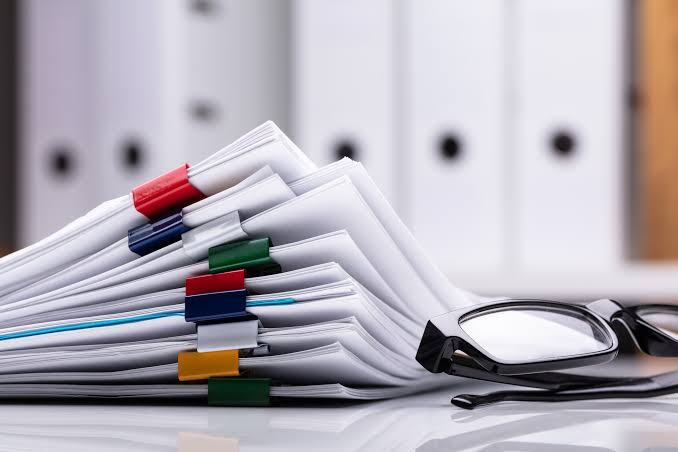
How Organized Document Systems Make Small Businesses Look More Professional
Forty-seven percent. That’s roughly how many first impressions in B2B sales are formed before a prospect has heard a single word of your pitch. The papers, folders, and documents you hand someone at the start of a meeting do quiet work, and if your document system is a mess of mismatched printouts and dog-eared proposals stuffed into a manila envelope, that work is working against you.
Most small business owners think about professional image in terms of their website or their logo. Rarely do they think about what happens when they slide a physical document across a conference table. This guide gives you a concrete framework for building a document system that signals competence, consistency, and scale, even if you’re a team of three people running out of a co-working space.
Why “Looking Organized” Is Actually a Business Problem
Clients don’t just hire the most talented person in the room. They hire the person who feels safest to hire. A chaotic document presentation plants a small seed of doubt: if their proposal looks like this, what does their project management look like?
That concern isn’t irrational. Research from presentations.ai published in 2026 found that 68% of presenters believe the quality of their presentation materials directly influences their professional image. That’s not a soft, sentimental finding. It means most professionals already sense that their materials are being judged, even if they haven’t done much about it.
The problem goes deeper than aesthetics. Without a real document system, you’re making decisions on the fly every time a client meeting comes up: which version of the proposal do I print? Do I staple or bind it? Where did I put the pricing sheet? That reactive scramble bleeds into the meeting itself, and clients notice the energy of someone who isn’t quite prepared, even when they can’t name it.
What a Document System Is (and What It Isn’t)
A document system isn’t a filing cabinet or a shared Google Drive folder. Those are storage solutions. A document system is a repeatable set of decisions about what documents you create, how they’re presented, and how they move through your business workflow, from internal draft to client delivery.
It has three layers:
- Templates. Standardized formats for your proposals, contracts, onboarding packets, and case studies. Same fonts, same structure, same page size, every time.
- Presentation materials. The physical or digital packaging that holds your documents when they reach a client.
- A delivery protocol. A clear internal rule for who sends what, when, in what format, and to whom.
Most small businesses have a loose version of the first layer and nothing else. The second and third are where the real professional signal lives.
Choosing Physical Presentation Materials That Do the Work
Physical materials matter more than most digital-first businesses want to admit. When companies use print materials, potential customers often view them as more legitimate and reliable, and printed media can convey a sense of seriousness that digital communications lack.
The most underrated tool in physical presentation is the folder. Not the cheap, flimsy ones from a big-box office store, but properly printed, branded corporate folders that hold your documents, reinforce your brand colors, and give the client something to keep. A well-printed folder on 14pt cardstock with your logo and a pocket for a business card signals that you thought about this meeting before you walked in the door.
The choice of finish matters too. Gloss UV coating reads as bold and creative, which works well for marketing agencies and design firms. Soft-touch lamination reads as premium and restrained, which tends to land better for legal, finance-adjacent, or consulting contexts. Neither is wrong. Picking one intentionally and staying consistent across all your materials is the move.
One rule: never mix. A branded folder paired with a laser-printed sheet from a different font family and a business card from a third design era tells the client you haven’t quite gotten your act together yet. The folder is only as strong as the documents inside it.
The Digital Half of Your Document System
Physical materials are the client-facing layer. Your internal document workflow is the operational layer, and if it’s chaotic, the chaos eventually shows up in the output.
Here’s the meeting cost reality: according to Flowtrace’s 2025 research, organizations spend roughly 15% of their collective time in meetings, and meeting time costs an average of $29,000 per employee per year. Every minute your team spends hunting for the right version of a proposal or reformatting a document from scratch is eating into that already expensive budget.
The solution is a master document library: one central location (whether that’s Notion, SharePoint, or a shared drive with strict naming conventions) where every template lives in its final, approved state. Nobody creates from scratch. Everybody pulls from the master. That single habit eliminates most version-control disasters and cuts prep time for client meetings significantly.
Pair that with a simple naming convention. Something like ClientName_DocumentType_Date_v1 takes ten seconds to adopt and saves hours of confusion later. It sounds boring. It is boring. Do it anyway.
The 3-Layer Document Audit: A Practical Checklist
Before your next client meeting, run through this audit.
| Layer | What to Check | Red Flag |
| Templates | Do all docs share the same fonts, colors, and logo placement? | Three different fonts across your proposal, invoice, and contract |
| Physical Presentation | Are physical documents held in branded, printed presentation materials? | Documents handed over loose, or in a generic envelope |
| Delivery Protocol | Does everyone on your team know what to send, when, and in what format? | Different team members sending different versions to different clients |
If you fail any one of these three checks, you have a gap. Pick the worst gap and fix it this week, not this quarter.
The Compounding Effect Nobody Talks About
Here’s the thing most articles on professional branding skip: a document system doesn’t just impress clients. It also signals something internally. When your team has clean templates, clear delivery rules, and materials they’re proud to hand over, they walk into meetings with more confidence. That confidence is contagious, and clients pick up on it.
According to 2026 research from presentations.ai, 68% of presenters believe presentation quality directly influences their professional image, and over 55% of executives identify presentation skills as a direct factor in professional success and leadership. The document system you build isn’t just a branding exercise. It’s a confidence infrastructure.
Small businesses that build these systems early stop playing catch-up every time a big client opportunity shows up. They already have the answer ready in a branded folder on the shelf.
Where to Start If You’re Starting From Nothing
Pick one document, the one you share with clients most often, and build that template first. Get it designed, get it printed inside a quality branded folder, and use it for your next five client meetings. Collect feedback, adjust the design if something feels off, then lock it. From that single template, build the rest of your library one document at a time.
This isn’t a sprint. A solid document system takes four to six weeks to build properly and about fifteen minutes a week to maintain. The payoff, in perceived professionalism, in team efficiency, and in closed deals, compounds from the day you start using it. Your business probably deserves to look as capable as it actually is. The documents are the easiest place to start closing that gap.