Effectiveness Of The Smart Cropping Feature Of A Help Authoring Tool
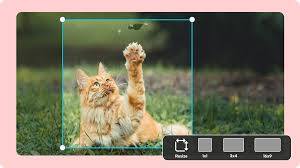
In technical communication, “a picture is worth a thousand words” is true in every sense. But for technical writers, those “pictures” often have a high cost in time: editing images and painstakingly cropping screenshots to show just the right button or menu. The introduction of smart cropping in Help Authoring Tools (HATs) has transformed this process, turning documentation from manual labor into an operation powered by intelligent automation.
The Problem with Screenshots in the Age of 4K & UHD Displays
Full-screen captures are not very useful for software coverage. It drowns out the user in irrelevant UI static and forces them to squint to find the field they want.
Smart cropping remedies this by treating the software interface as a series of functional objects rather than a flat bitmap. With knowledge of the application’s code, the software can extract individual components with pixel-perfect accuracy.
A Masterclass in Automated Capture
Dr.Explain is a flexible help authoring tool that automates the most boring aspects of technical writing. Its proprietary metadata-based capture engine dissects an application’s internal structure to create a series of smartly cropped images with automatic callouts.
The ultimate result is that users produce professional-quality manuals with a fraction of the manual grind. Dr.Explain supports multiple export formats and produces high-resolution output, making your documentation look good on any platform.
Improvement of the Aesthetic of Your Documentation
The value of smart cropping lies not only in the time saved but also in the improved readability of the output. When a HAT applies intelligence to recognize an interface element, it has a number of significant benefits: Focus and Clarity: The result is that it focuses the user’s eye exactly where it needs to be, after stripping out the desktop background, taskbars, and other distracting windows.
- Dynamic Re-cropping: The latest cropping software also allows authors or editors to expand the crop lines without recapturing, because the tool usually remembers the parent window.
- Uniformity: You will notice that all screenshots of the “Submit” button have the same padding and size. This gives the manual a professional look, which is difficult to achieve with manual cropping.
- Stacked Metadata: The tool understands what it is seeing. So, it can instantly generate descriptive alt text for accessibility, something often overlooked in manual processes.
Quantifying the Productivity Benefits
Studies on documentation workflows have found that image editing accounts for about 30% to 40% of a technical writer’s work time. The latest cropping method could also bring this one-task time down to seconds.
Conventional cropping struggles with drop-down menus that vanish as soon as you click away. Smart capture engines freeze the UI state, so even the most elusive hover states can be fully captured and cropped.
Final Thoughts
The utility of smart cropping extends beyond convenience; it is a strategic weapon. It helps documentation teams keep up with agile development cycles, where UI modifications are frequent and rapid. By using a help authoring tool with a robust cropping feature, companies ensure their help files are accurate, usable, and visually consistent. In an age where user experience matters, the accuracy these instruments offer is what separates a frustrated user from a triumphant one.